Martian mVoice Smartwatch Review

What makes a smartwatch smart? I believe that so far the tech and watch industry have yet to figure this out. There has to be a reason why people eagerly buy smartphones, but not smartwatches. Martian has taken a step back and looked at what we think we want in a smartwatch and simplified it.

What do watches do best? They tell time. The Martian mVoice Smartwatch places this first and foremost. Instead of a large digital screen, you have a large analog watch. The OLED screen is located on the bottom face of the watch. To control it there are a couple of push buttons on the side of the watch. On the other side of the watch you’ll find your USB charge port. The analog watch and OLED screen use their own battery. So if you’re smartwatch battery drains completely, you’ll still be able to tell the time.

With all this tech built into the smartwatch it does not feel heavy, get too hot, or feel too bulky. It fits on your wrist just like a regular watch does. Even though the OLD screen is only 96 x 16 pixels, you’re able to read the screen perfectly.

One feature that I know everyone will enjoy is that you can set your Martian mVoice Smartwatch to have your smartphone beep if you get to far away from it. This way you’ll never lose your smartphone again.

Once you pair the Martian mVoice Smartwatch with your smartphone via bluetooth and download the Amazon Alexa app you’re going to find even more cool features. There are literally over 5,000 skills that Alexa has, which you can activate with the Martian mVoice Smartwatch. You won’t have to take out your smartphone to activate these skills. Keep the smartphone in your pocket and simply use your voice with your Martian mVoice Smartwatch to do the activity. You can use the OLED screen to read text messages or even answer phone calls talking via your smartwatch.

This design seems to make for a lot easier and quicker functionalities than what we’ve seen so far in the smartwatch industry. The Martian mVoice Smartwatch is both a watch and a smartwatch and that’s a good thing.

BeMe D200 Review

Basic earphones are just that, basic. The BeMe D200 earphones are for those in the Apple echosystem who want a more sophisticated way of listening to their favorite songs.

I was shocked when I unboxed the earphones and put them in my ear how quiet the world around me become. Even if you’re not listening to music and simply want to drown out some background noise the BeMe D200 work very well at that.

I plugged the earphones into the iPhone and played some music. It sounded a lot more clear than the standard iPhone earphones. Best of all you won’t need an additional battery to power the active noise cancellation.

The inline remote allows you to quickly adjust the volume, play/pause, answer a call, and adjust ambient noise levels all without touching your iPhone. This remote does add extra weight to the earphones, which I have found causes the earphones to pull the earphones out of my ear. Thankfully a clip is included to attach the cord to your shirt. Also there are four sized ear tips that you can swap on to see which fits into your ear best. Using those two features you should be able to avoid the earphones from falling out.

If you’re an audiophile there’s a beem united app that you can download from the App Store. Here you’ll have 10-band equalizer control and adjust the active noise cancellation.

A carrying pouch is included to help keep your earphones from getting trashed in your purse or backpack.

Samsung Galaxy S8 and S8 Plus – Silk Base Grip Case Review

If you’re looking for a value case to add extra grip to your Samsung Galaxy S8 or S8 Plus, Silk’s Base Grip Case could be what you’re looking for. The S8 is definitely a slippery yet beautiful phone.

Covering the S8 up is a necessity. Thankfully the Base Grip Case doesn’t take away from the phone’s design. The case is sleep and slender. It’s very lightweight and won’t add bulk to the phone.

The Base Grip Case is made of rubber. The sides have a extra textured feel to them while the back is a little more smooth. The back’s design reminds me of something out of Tron. It has this line that wraps around the back of the case and reflects light so it helps make the case pop.

Samsung Galaxy S8 and S8 Plus – CM4 Q Card Case Review

Protecting a screen that wraps around your entire phone is something that we all want to do. The Samsung Galaxy S8 and S8 Plus are gorgeous smartphones that you hope you never drop.

If you’ve ever held the Galaxy S8 or S8 Plus you’ll feel how smooth and slippery the phones are. The Q Card Case by CM4 solves this with a high quality leather textured feel on the back. This area can hold up to 3 credit cards or a card and some cash. If you’re going to a night out around the town this ability to stash your cash is helpful. It simplifies what you need to put inside your pocket or purse.

Another neat feature on the back is its credit card kickstand. There are two separate grooves on the back of the case that allow you to slip a card in and lean both the phone and card against each other. At the right angle your Galaxy S8 will hold stable enough for you to watch a video with your friends as the phone is placed on a table-like surface. This design limits the bulkiness and additional weight of most kickstand phone cases.

The Q Card Case balances premium design with extra functionality as well as keeping its weight and thickness reduced. When you place the Samsung Galaxy S8 in this case, you don’t lose that high quality look of the phone.

Portal WiFi Router Review

Have you ever sat there and waited for a browser page to load? We all like to think that we have fast broadband internet, but sometimes its not about the speed of the internet. As we all use WiFi 24/7 with tons of connected devices, the airwaves get clogged. Yes you can manually change the channel that your WiFi router sends its signals, but what if your neighbor changes their router to the same channel a day later?

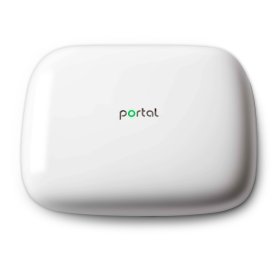
We need an automated system that handles this issue and that’s where the Portal WiFi Router comes into play. To give you an idea of how well this router works, Portal has received special FCC certification to operate in the entire 5GHz spectrum, unlike other consumer routers. So if you’re playing multiplayer gaming, streaming video, video chatting, and WiFi calling you’ll be able to do it all at the same time without hiccups.

Portal figures out which channel is available and less used than others. It then automatically switches between channels. This allows for faster internet speeds.

Of course many of us have a single router in a home that creates poor coverage due to distance from the router. If you want to extend the range, Portal allows for adaptive auto-mesh enabling multiple PORTALs to be bridged together both wirelessly and wired for extended coverage.

WiFi routers can be intimidating to setup, but with Portal its easy. There’s an app that you can download onto your smartphone to help guide you through what to do.

If you’re having network congestion, do try out the Portal WiFi Router and it should help fix your internet issues with a breeze.

How to Make $1000 – Wealthfront Review

Here’s the Wealthfront link that will give you an additional $5000 managed for free https://wlth.fr/2ghtnyz

I started using Wealthfront around October / November 2016 and now have made $1000 with this wealth management service. I was initially afraid to use a service that is managed by algorithms, but clearly it has done very well. Obviously results will vary based on many factors and you could lose money, but still seems like it’s a good opportunity for all to try.

I am not a licensed financial adviser. This video review is based off my personal experience alone.